
VaultBox
Your passwords, serial numbers and license keys, locked in one vault.
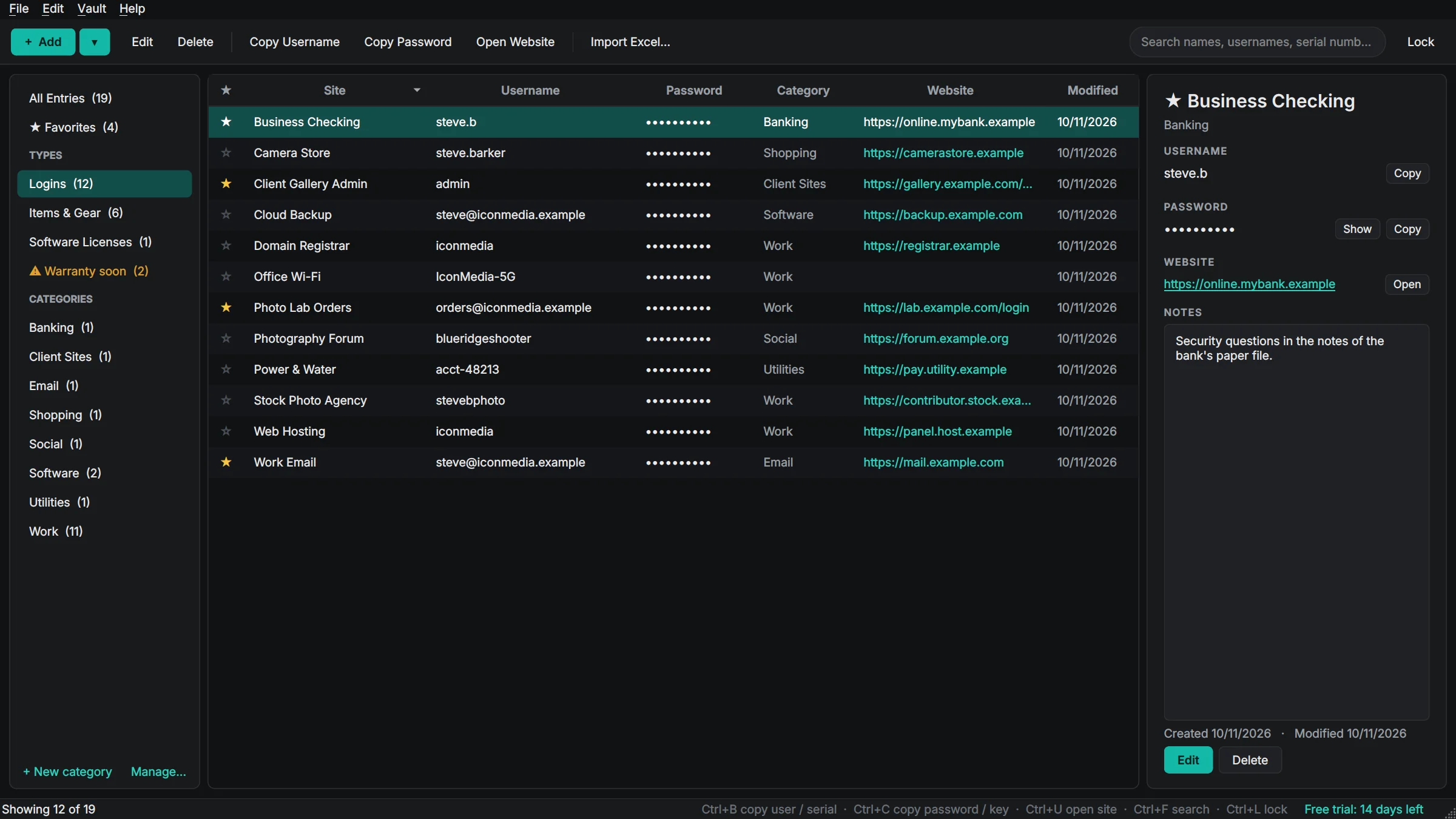
VaultBox replaces the spreadsheet of passwords and the shoebox of receipts. Type a few letters to find a site, press Ctrl+B and Ctrl+C to copy the username and password, and the clipboard clears itself. Bought a camera? Add it as an item with its serial number, price, where you bought it, the warranty date and photos of it and the receipt, and VaultBox reminds you before the warranty runs out. Everything is encrypted on your own computer with AES-256 and a key made from your master password, and nothing from your vault is ever uploaded.
Made for: Anyone with a spreadsheet of passwords, and photographers and small businesses who need a record of their gear for insurance.

What VaultBox does
Strong encryption on your PC
AES-256-GCM with an Argon2id key from your master password. Your vault lives on your computer (or a USB stick), never on our servers, and we can't read it.
Find and copy in a second
Type to search, Ctrl+B copies the username, Ctrl+C the password. The clipboard clears itself after 30 seconds and copies stay out of Windows clipboard history.
Items and gear
Serial number, make and model, purchase date and price, where you bought it and the warranty end date for every camera, lens, laptop or tool you own.
Photos and receipts
Attach photos of the item, its serial plate and the receipt (photo or PDF). They are encrypted inside your vault too.
Warranty reminders
VaultBox tells you when a warranty is about to end, with a Warranty soon list one click away.
Insurance-ready report
One click makes a PDF of everything you own with photos, serial numbers, prices and a total value, or a spreadsheet of it.
Software license keys
Keep every product key with who it is licensed to, how many seats and where you bought it. Ctrl+C copies the key.
Bring in your spreadsheet
Import passwords from Excel or CSV in a minute: VaultBox finds the columns for you and skips duplicates.
Backups that just happen
Encrypted automatic backups, Back Up Now to a USB drive or cloud folder, and Restore. Backups include your photos and receipts.
Locks itself
Auto-lock when you step away, lock on minimize, Ctrl+L to lock now, and a lockout after repeated wrong passwords.
Details
- Works on
- Windows 10 / 11 (64-bit)
- Current version
- 1.2.2
- Download size
- 42.3 MB
- License
- One-time purchase, 3 PCs
- Updates
- Free within version 1.x
What’s new
VaultBox 1.2.2: VaultBox now updates itself. Check for Updates is in the Help menu, and once a day it quietly looks for a new version and offers to install it. Signed by Steve Barker.
VaultBox 1.2.1: a VaultBox box while it starts, and the Boxridge box icon on the desktop, Start menu and taskbar, same as the website. Signed by Steve Barker.
VaultBox 1.2.0: passwords, gear serial numbers, receipts and license keys. 14-day free trial; one license covers 3 PCs. Signed by Steve Barker.
VaultBox FAQ
Where is my vault stored?
On your own PC, in %LOCALAPPDATA%\Boxridge\VaultBox, or on a USB stick if you choose. It is never uploaded. Only your license key is checked online, never anything from your vault.
What if I forget my master password?
Nobody can open your vault without it, not even us. That is what keeps it safe. Set a hint when you create the vault, and keep a backup.
Is there a free trial?
Yes. Every feature works free for 14 days, with no account and no credit card. After that your vault always opens, and you can still search, copy, edit, export and back up everything; adding new entries, photos and receipts and the Items Report need a license key.
How does the license key work?
After you buy, your key is shown on screen, emailed to you and kept in your account. In VaultBox open Help, License, paste the key and click Activate. The first time, the app activates it online (one license covers 3 of your PCs, and you can move it from your account any time). After that it works offline and never expires.
Can I import my passwords from Excel?
Yes. Pick your .xlsx or .csv file and VaultBox matches the columns (site, username, password, website, notes, category), shows a preview and skips entries you already have.
Can I use it on more than one PC?
Yes, one license covers 3 PCs. To move your vault, use Back Up Now to a USB drive and Restore on the other PC, or keep the vault on the USB stick itself.
Does it fill in passwords in my browser?
No, VaultBox doesn't install a browser extension. You copy the username and password with two shortcuts, and the clipboard clears itself.
You might also like

Boxridge Snap
The Snipping Tool replacement: instant region capture, snap to any window, whole web page screenshots, blur and annotate, and file names that number themselves.

Boxridge Find
Search every file, photo and document by name, keywords, captions, people, bib numbers, camera details or the text inside, far faster than Windows Search.

CleanBox
Clears junk files, repairs damaged system files, checks your disk, runs a malware scan and optimizes your drives in the right order with one click, with live progress, a report and a schedule. Nothing extra installed, no scare tactics.