
CleanBox
One-click PC maintenance, done the careful way.
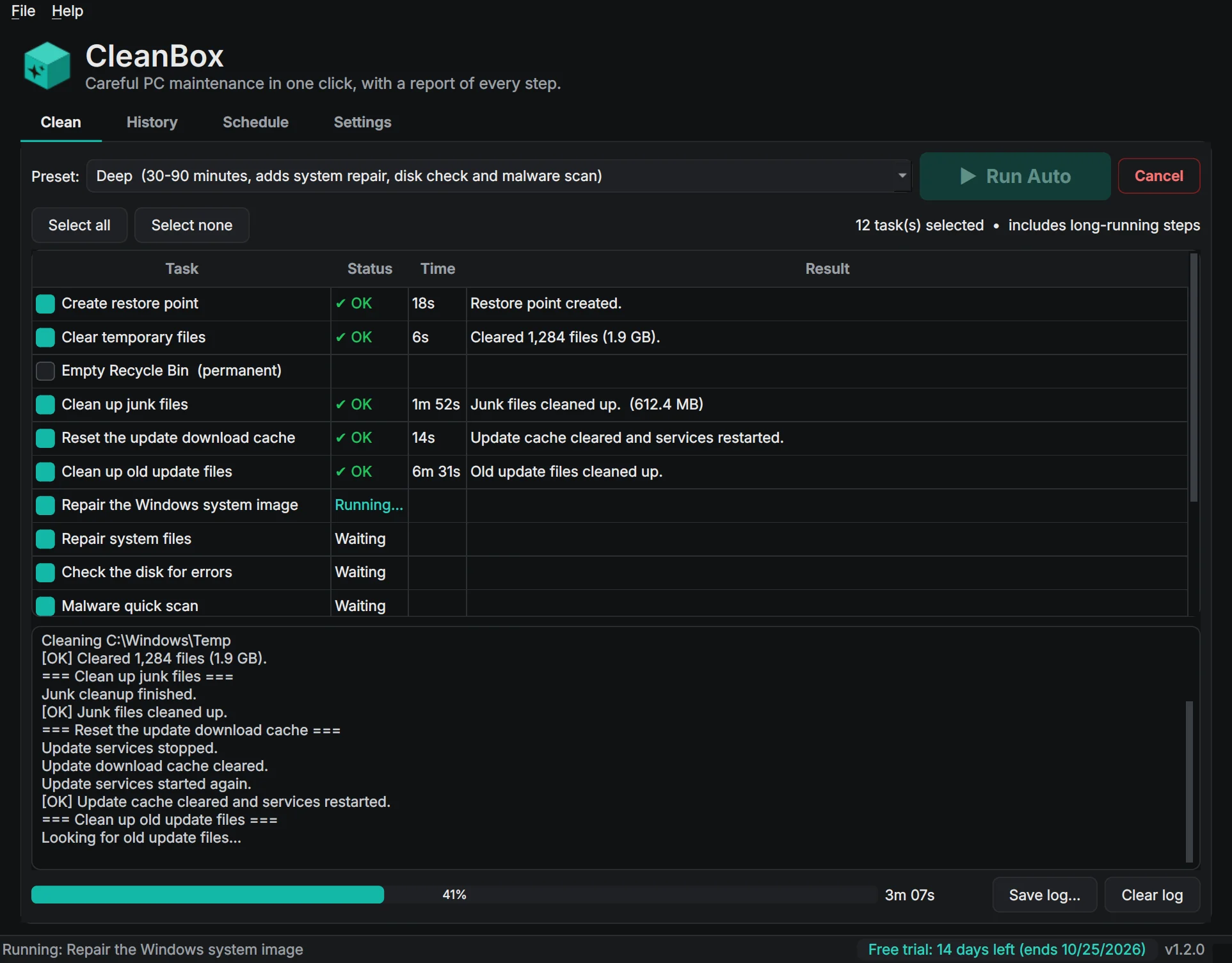
CleanBox is the honest PC cleaner. No "registry cleaner" and no speed-boost promises: it does the routine maintenance a technician would do, in the order a technician would do it, and tells you exactly what each step did. Press Run Auto: it makes a restore point, clears old temporary files, cleans up junk with safe settings, tidies the Windows component store, repairs damaged system files, checks the disk without changing anything, runs a quick malware scan and optimizes your drives. Watch the live progress, then get a report of the space recovered and every step's result, saved in History and ready to export as a PDF.
Made for: Anyone who wants their Windows PC kept tidy and healthy without a subscription, and people who look after the family or office computers.

What CleanBox does
Run Auto
One button runs every step in the right order: restore point first, the system image repaired before the system files are checked, and a failed step never stops the rest.
Quick and Deep presets
Quick takes a few minutes for routine cleanup; Deep adds the system file repair, the disk check and a malware scan. Or pick your own steps.
Nothing extra installed
CleanBox doesn't download or install anything else, and nothing runs in the background unless you schedule it.
Safe by design
A restore point first, temp files only older than a day, locked files skipped, the disk check in read-only mode, Downloads never touched, and the Recycle Bin only if you choose it.
Live progress
Every step's output streams into the window with an overall and per-step progress bar, and Cancel stops a step cleanly.
Reports and history
Space recovered, free space before and after, and each step's result, kept in History and exportable as PDF or HTML.
Scheduled cleanups
Weekly, monthly or when the PC is idle, running quietly in the background.
Help when something fails
Every step's result explained in plain English, and a one-click diagnostics file for support with personal details removed.
Details
- Works on
- Windows 10 / 11 (64-bit). Needs administrator rights.
- Current version
- 1.2.2
- Download size
- 38.9 MB
- License
- One-time purchase, 3 PCs
- Updates
- Free within version 1.x
What’s new
CleanBox 1.2.2: CleanBox now updates itself. Check for Updates is in the Help menu, and once a day it quietly looks for a new version and offers to install it. Signed by Steve Barker.
CleanBox 1.2.1: a CleanBox box while it opens. Signed by Steve Barker.
CleanBox 1.2.0: the Boxridge look, with a dark theme, the new box icon and a clearer step list. Same careful maintenance. Signed by Steve Barker.
CleanBox 1.1.1: every step, result and report in plain words. Same careful maintenance. Signed by Steve Barker.
CleanBox 1.1.0: one-click PC maintenance, done the careful way. 14-day free trial; one license covers 3 PCs. Signed by Steve Barker.
CleanBox FAQ
Is CleanBox safe?
Yes. It creates a restore point first, never touches your Downloads or personal files, checks the disk in read-only mode, only empties the Recycle Bin if you tick that step, and installs nothing else.
Will it make my PC faster?
We don't make speed claims. CleanBox frees disk space, repairs damaged Windows system files and keeps your drives optimized, which is the routine maintenance a technician would do.
Why does it ask for administrator permission?
Repairing system files, checking the disk and cleaning system areas all need administrator rights, so CleanBox asks once when it opens.
Is there a free trial?
Yes. Every feature works free for 14 days, with no account and no credit card. After that your History and reports stay available; running maintenance and scheduled runs need a license key.
How does the license key work?
After you buy, your key is shown on screen, emailed to you and kept in your account. In CleanBox open Help, Enter license key, paste the key and click Activate. The first time, the app activates it online (one license covers 3 of your PCs, and you can move it from your account any time). After that it works offline and never expires.
How long does a run take?
Quick usually takes a few minutes. Deep can take 30 minutes or more, because the system file repair and the disk check go through all of Windows. You can keep using the PC while it runs.
You might also like

Boxridge Snap
The Snipping Tool replacement: instant region capture, snap to any window, whole web page screenshots, blur and annotate, and file names that number themselves.

Boxridge Find
Search every file, photo and document by name, keywords, captions, people, bib numbers, camera details or the text inside, far faster than Windows Search.

VaultBox
A password manager that also keeps the serial numbers, receipts, photos and warranties of everything you own, plus your software license keys. Encrypted on your PC, never in anyone's cloud.