
Boxridge Cull
Pick your keepers in minutes, not hours.
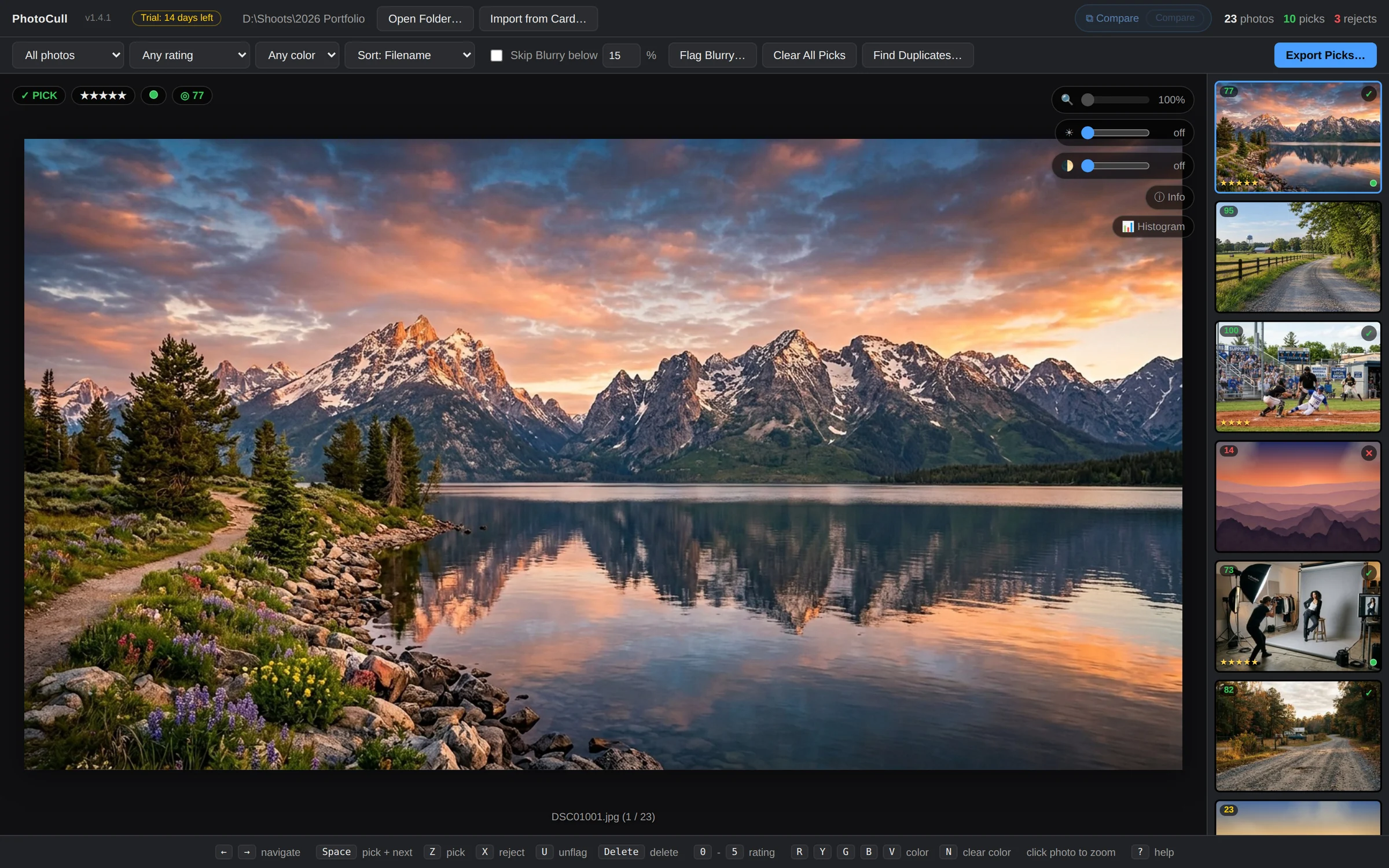
Boxridge Cull is the first stop after a shoot. Import from the memory card or open a folder, fly through images with one-key ratings and flags, let blur detection and the duplicate finder point out what to toss, then export just your picks for editing.
Made for: Photographers who come home with thousands of frames and need the best ones fast.

What Boxridge Cull does
Import from card
Open a folder or pull straight from the memory card.
One-key rating
Stars, flags, color labels and reject, all on the keyboard.
Blur detection
Spot soft and missed-focus frames automatically.
Duplicate finder
Find the same shot copied in twice and keep just one.
Export picks
Send only your keepers to the next step.
Pairs with FinishBox
Cull, then batch-edit in FinishBox.
Details
- Works on
- Windows 10 / 11 (64-bit)
- Current version
- 1.4.5
- Download size
- 39.5 MB
- License
- One-time purchase, 3 PCs
- Updates
- Free within version 1.x
What’s new
Boxridge Cull 1.4.5: Check for Updates - a blue bar offers the new version right in the app (like LedgerBox), downloads it, verifies it and installs itself. Signed by Steve Barker.
Boxridge Cull 1.4.4: a startup box and the correct box icon everywhere, plus a colored border on Pick and Reject photos (green and red) in the main view and the filmstrip, so it is easy to see what you have decided at a glance. Signed by Steve Barker.
Boxridge Cull 1.4.3: a Boxridge Cull box while it starts, and the Boxridge box icon on the desktop, Start menu and taskbar, same as the website. Signed by Steve Barker.
Boxridge Cull 1.4.2: the app is called Boxridge Cull everywhere (window, Start menu, desktop icon), same as the website. Signed by Steve Barker.
PhotoCull 1.4.1: one-time online activation (one license covers 3 PCs); signed by Steve Barker.
Boxridge Cull FAQ
Does it change my original files?
No. Ratings and picks are tracked by the app; originals stay untouched until you export.
Is there a free trial?
Yes. Every feature works free for 14 days, with no account and no credit card. After that you can still open folders and cull, rate and label photos; Export Picks needs a license key.
How does the license key work?
After you buy, your key is shown on screen, emailed to you and kept in your account. Click the Trial pill next to PhotoCull’s version number (or Enter License Key) and paste it. The first time, the app activates it online (one license covers 3 of your PCs, and you can move it from your account any time). After that it works offline and never expires.
You might also like

FinishBox
Edit a whole shoot in one pass: a light-touch Auto for every photo, AI masks, AI Remove and denoise that run on your own PC, RAW and JPEG, and fast bulk export.

Boxridge Raw
Bulk RAW to JPEG converter that makes files look like a good camera JPEG, with every bit of metadata, captions and bib numbers kept.