
CopyBox
Copy a full memory card in a fraction of the time.
CopyBox is a small, no-guesswork tool for moving big folders fast. Pick the card or folder, pick the drive, press Start Copy. Instead of copying one file at a time like File Explorer, it copies up to 32 files at once, so a card with thousands of RAW files is done in a fraction of the time. It checks free space before you start, shows files copied and time remaining, then checks that every file arrived at the same size, and keeps a full log.
Made for: Photographers and videographers offloading cards, and anyone moving big folders between drives.
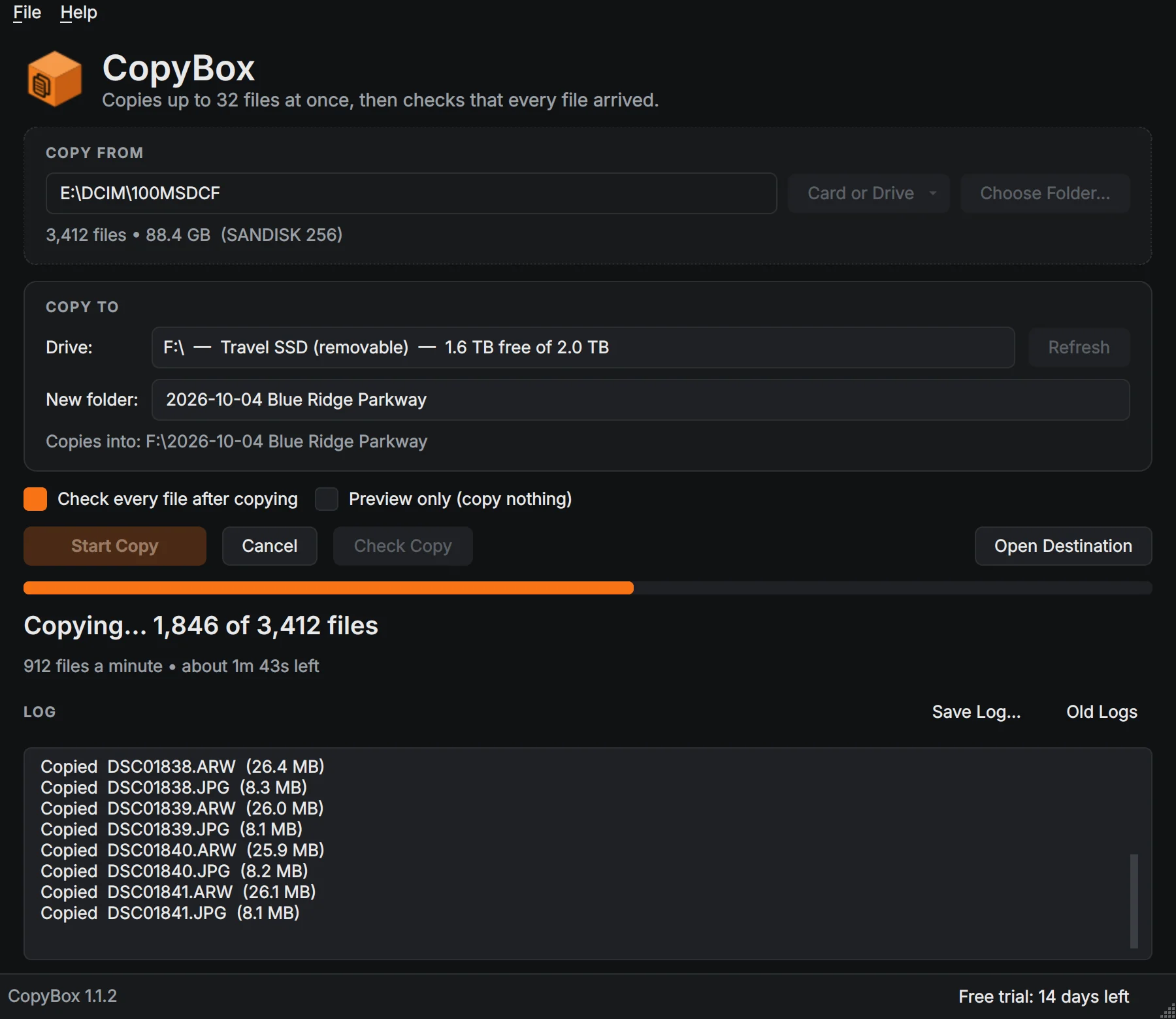

What CopyBox does
32 files at once
Multi-threaded copying, up to 32 files at a time, no drag-and-drop crawl.
Every file checked
When the copy finishes, CopyBox confirms every file is on the destination at the same size, and names any that are not.
Cards in one click
Pick a whole memory card from the Card or Drive list; it gets a folder named after the card and the date.
Drive auto-detect
Every card, SSD and network drive listed with its label and free space.
Free-space check
Warns you before you start if the destination is too small.
Progress you can trust
Files copied, files per minute and time remaining, updated every second.
Pick up where you left off
Run it again after an unplugged drive or a Cancel and only the missing files are copied.
Preview and full log
Check what would be copied without copying anything. Every copy keeps a log of every file and result.
Details
- Works on
- Windows 10 / 11 (64-bit)
- Current version
- 1.1.4
- Download size
- 38.6 MB
- License
- One-time purchase, 3 PCs
- Updates
- Free within version 1.x
What’s new
CopyBox 1.1.4: CopyBox now updates itself. Check for Updates is in the Help menu, and once a day it quietly looks for a new version and offers to install it. Signed by Steve Barker.
CopyBox 1.1.3: a CopyBox box while it starts. Signed by Steve Barker.
CopyBox 1.1.2: the new Boxridge box icon on the app, its shortcut and the installer. Same copying and checks. Signed by Steve Barker.
CopyBox 1.1.1: a clearer copy log, one plain line per file, with problems and retries in plain words. Same speed and checks. Signed by Steve Barker.
CopyBox 1.1.0: copies cards and big folders up to 32 files at once, then checks every file. 14-day free trial; one license covers 3 PCs. Signed by Steve Barker.
CopyBox FAQ
Is it really faster than File Explorer?
For folders with many files, yes. File Explorer copies one file at a time; CopyBox copies up to 32 at once.
Does it change or delete anything on my card?
No. It only reads from the source and writes to the destination you choose. It never deletes files.
How do I know everything copied?
After the copy, CopyBox checks that every file is on the destination at the same size as the original and lists any that are missing. You can run Check Copy any time.
What happens if a file fails?
It retries automatically, the log shows exactly which file had a problem, and running the copy again copies only what is missing.
Is there a free trial?
Yes. Every feature works free for 14 days, with no account and no credit card. After that, Preview, Check Copy and the free-space check stay free; copying needs a license key.
How does the license key work?
After you buy, your key is shown on screen, emailed to you and kept in your account. In CopyBox open Help, License, paste the key and click Activate. The first time, the app activates it online (one license covers 3 of your PCs, and you can move it from your account any time). After that it works offline and never expires.
You might also like

Boxridge Snap
The Snipping Tool replacement: instant region capture, snap to any window, whole web page screenshots, blur and annotate, and file names that number themselves.

Boxridge Find
Search every file, photo and document by name, keywords, captions, people, bib numbers, camera details or the text inside, far faster than Windows Search.

VaultBox
A password manager that also keeps the serial numbers, receipts, photos and warranties of everything you own, plus your software license keys. Encrypted on your PC, never in anyone's cloud.