
Boxridge Remote
Reach every one of your PCs from anywhere.
Boxridge Remote gives you full control of your own computers from wherever you are. Connect by 9-digit ID and password, see the remote screen in sharp full resolution, and use your mouse and keyboard as if you were sitting there. It finds a direct peer-to-peer path when it can and switches to an encrypted relay when a network is locked down, so it keeps working on hotel Wi-Fi and cellular hotspots.
Made for: Photographers, freelancers and small businesses who work from the road and need their office PC at their fingertips.
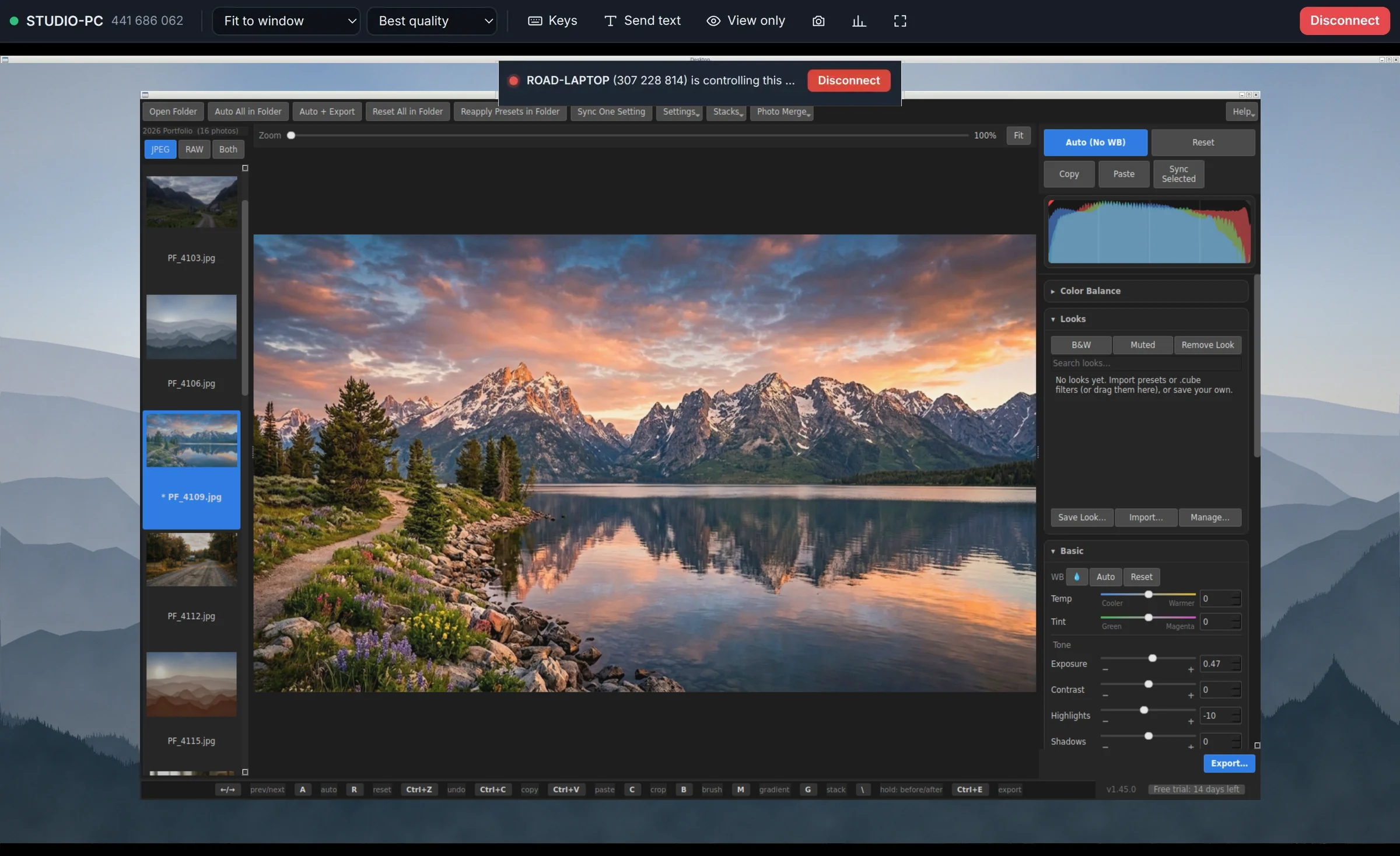

What Boxridge Remote does
End-to-end encrypted
Every session is encrypted between the two PCs. Passwords never leave your computer, and not even our server can see your screen.
Works from anywhere
Direct peer-to-peer when possible, automatic relay when not. Designed for 5G hotspots and travel networks.
Unattended access
Set a permanent password and reach your own PCs any time, even when nobody is there.
Sharp, smooth video
Hardware-accelerated H.264 at your full screen resolution, with Best, Balanced and Speed modes.
Multiple monitors
Switch between the remote PC’s screens from the toolbar.
Send and get files
Drag files or whole folders onto the remote screen, or browse the other PC and pull files back. One progress bar for the whole batch, files already there are skipped, and an interrupted transfer picks up where it stopped.
Clipboard sync & send text
Copy on one PC, paste on the other. Type long text blocks straight onto the remote PC.
Special keys
One-click Task Manager, Alt+Tab, Win+R, lock screen and more.
Built-in safety
A visible “being controlled” banner, one-click disconnect, brute-force lockout and a full session history.
Updates itself
New versions download, check their signature and install with one click from Settings, Updates.
Details
- Works on
- Windows 10 / 11 (64-bit)
- Current version
- 1.1.1
- Download size
- 115.2 MB
- License
- One-time purchase, 3 PCs
- Updates
- Free within version 1.x
What’s new
Boxridge Remote 1.1.1: big file transfers made easy. One progress bar for the whole batch, files already there are skipped, an interrupted transfer can be resumed next time, and a note and a chime when it is done. Signed by Steve Barker.
Boxridge Remote 1.1.0: send and get files during a session with the new Files button, or drag files onto the remote screen. Remote also updates itself from now on (Settings, Updates). Signed by Steve Barker.
Boxridge Remote 1.0.2: the app now shows the same box icon as the website (desktop, Start menu, taskbar, tray and window). Signed by Steve Barker.
Boxridge Remote 1.0.1: the app is called Boxridge Remote everywhere (window, tray, Start menu, desktop icon), same as the website. Signed by Steve Barker.
RemoteBox 1.0.0: 14-day free trial, license activation (3 PCs), new server address remote.boxridgesoftware.com. Signed by Steve Barker.
Boxridge Remote FAQ
Is there a monthly fee?
No. Boxridge Remote is a one-time purchase. Connection and relay service is included.
How many PCs can I use it on?
Each license activates on 3 PCs. You can move a license to a new PC any time from your account.
Is it secure?
Yes. Sessions are end-to-end encrypted, your password is never sent over the network, and repeated wrong passwords lock the caller out.
Does it work over a phone hotspot?
Yes. When a direct connection is not possible it relays through our encrypted server automatically.
Can I move files between the PCs?
Yes. During a session click Files: send files or folders to the other PC, or browse it and get files back. They travel over the same encrypted connection and are checked on arrival. If a big transfer is interrupted, the next session offers Resume, and files already there are skipped.
Is there a free trial?
Yes. Every feature works for 14 days, no account or card needed. After the trial, other people can still connect to your PC for free (so the PCs you only reach into never need a license). Controlling another computer needs a license key.
How do I enter my key?
Click the Free trial box at the bottom left of Boxridge Remote, paste your BXR-… key and click Activate. The PC needs the internet to activate. After that it checks in about once a day and keeps working even if it is offline for up to 30 days. To move it to another PC, click Remove from this PC first, or remove the old PC under My software.